BRIDGE Dashboard
ASL Translation Tool - October 2024
Role
- Full-Stack Development
- UI + UX Design
Team
- FACETLab @ University of Pittsburgh
Timeline
- 3 Months
Overview
FACETLab is a research organization at the University of Pittsburgh that specializes in designing adaptive educational technologies for youth in a variety of disciplines. Artificial Intelligence (AI), Human Computer Interaction (HCI), and Educational Psychology are a few of their key focus areas.
The BRIDGE project that I worked with narrows this scope down to members of the deaf and hard of hearing community. Specifically, American Sign Language (ASL) learners. It targets members of this community engaging in STEM learning, as members of this group are historically underrepresented in these fields.
Context
There are a variety of reasons that ASL learners struggle with STEM education. For one, there is a lack of consistency between signage for these complex terms. One option is fingerspelling, where students physically sign every single letter in the word, but this process is slow and inefficient for explaining jargon-heavy topics. Students may also use their own made-up signs, which ends up causing problems when different students use differing signage from one another.
Since deaf students are so underrepresented in these fields, traditional support structures such as office hours and professorial guidance are not structured to handle sign-based learning. Plaforms like Zoom rely on audio-based cues in order to determine who is speaking, which makes the platform completely inaccessible for ASL learners.
The hypothesis of this research project is that AI-driven technology can be leveraged to substantially improve collaboration and learning outcomes among members of the ASL community. The project seeks to unify signers in a landscape where semantics are fragmented and commonly misunderstood.
The project also incorporates Augmented Reality (AR) technology to support ASL learners in a tangible way that is difficult to replicate with other technologies. Since signage is so spatially dependent, it is critical that learners see their interlocutors clearly and can identify the positioning of their hands relative to their face. AR uniquely affords this kind of use, which makes it an excellent fit for this form of research.
To gain a wholistic understanding of the community and their needs, experts in ASL learning, such as Dr. Athena Willis, have been onboarded to support the team and its goals. Professionals in the fields of HCI and AI, namely Dr. Jacob Biehl and Dr. Lee Kezar , have also been brought on to support this mission and ensure that interactions between signers remain relatively intuitive.
Development
Placing AI-powered signage at the forefront of my application meant that
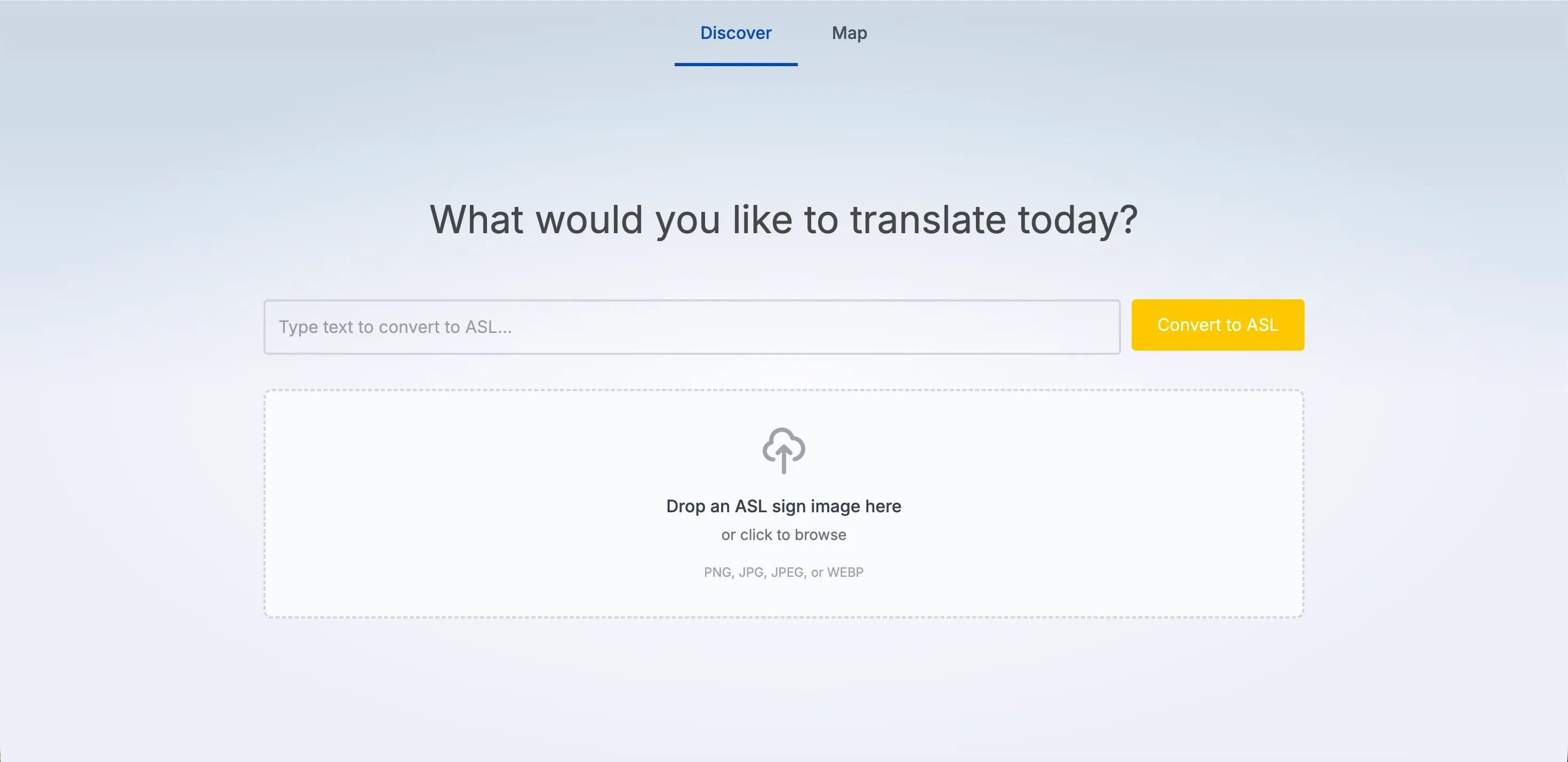
the entire user flow was built around the process of discovery. Entering
an English query in a search window, seeing it spelled out for you in
ASL, and generating appropriate signage along the way with OpenAI’s
gpt-image-1 model. If users found a good ASL sign representation
of a word they are learning from an external source, they are also given the
means to upload their own images to be analyzed through OpenAI’s Vision API.
Whether images are manually uploaded or AI-generated, users are incentivized to build up a library of images to use for their future queries. As the user interacts with the application, they develop new signage for new words. This signage helps them form additional phrases and gradually fill gaps in the image library, and thus in their knowledge.
To incentivize users to fill their library with words, there is a “word map” tab that clusters words by semantic similarity and physically links them if they are used in the same phrase. Additionally, a variable progress bar is displayed at the top to add an element of gamification to the engagement with the map. Users can use this section of the interface to zoom out and obtain a tangible view of their progress and understanding.
All signage is stored in a globally accessible data repository that is
called across the application (signLibrary.ts). Basic ASL
lettering (a-z) is pre-loaded into the application to handle
fingerspelling, but if word-level signs exist in the library, the
application will prioritize those instead. To detect which words are
relevant enough to be flagged for AI generation, the Natural Language
Processing (NLP) JavaScript library compromise tokenizes the string and
separates out nouns, adjectives, verbs, and adverbs.
// Extract content words using NLP (compromise)
function extractContentWords(text: string): Set<string> {
	const doc = nlp(text);
	const contentWords = new Set<string>();
	const wordPattern = /^[a-z]+(?:-[a-z]+)?$/;

	doc.nouns().forEach((noun: CompromiseMatch) => {
		const word = noun.text().toLowerCase().trim();
		if (word && wordPattern?.test(word)) {
			contentWords.add(word);
			//console.log('Extracted noun:', word);
		}
	});

	doc.verbs().forEach((verb: CompromiseMatch) => {
		const word = verb.text().toLowerCase().trim();
		if (word && wordPattern?.test(word)) {
			contentWords.add(word);
			//console.log('Extracted verb:', word);
		}
	});

	doc.adjectives().forEach((adj: CompromiseMatch) => {
		const word = adj.text().toLowerCase().trim();
		if (word && wordPattern?.test(word)) {
			contentWords.add(word);
			//console.log('Extracted adjective:', word);
		}
	});

    //...

    return contentWords;
}
If a given word falls into any one of these categories and doesn’t already have an associated image reference in the library, it is marked for generation. Additionally, there is a base dictionary Set that is referenced to check for common phrases like “thank you”, “hello”, and “goodbye”.
When a word is detected and a user approves an AI-generated sign, a POST
request is sent through a SvelteKit API route (/api/generate-sign) to be processed on the server. Using the stored OpenAI API key, the
service generates a 1024 x 1024 image to be sent back to the client to
be displayed. In the meantime, the user sees a loading indicator while
the isGenerating state is set to true.
// Compose the prompt dynamically based on the word
const prompt = `
American Sign Language (ASL) sign for the word "${word}, in a black and white illustrative style
with a clear hand gesture on a white background. Do not display any text in the final result.`;

console.log('[STEP] Prompt sent to OpenAI:', prompt);

const result = await openai.images.generate({
  model: 'gpt-image-1',
  prompt,
  size: '1024x1024',
  n: 1
});

console.log('[STEP] Raw OpenAI image result:', !!result && result.data && result.data[0]);
User uploads also go through an API route (/api/recognize-sign) to be processed by OpenAI’s Vision API. Once that is complete, the
Sharp library is invoked to convert the uploaded image into a PNG file
and optimize it to save space in the library. This allows users to
upload a diverse range of image formats without needing to worry about
pre-compressing their images.